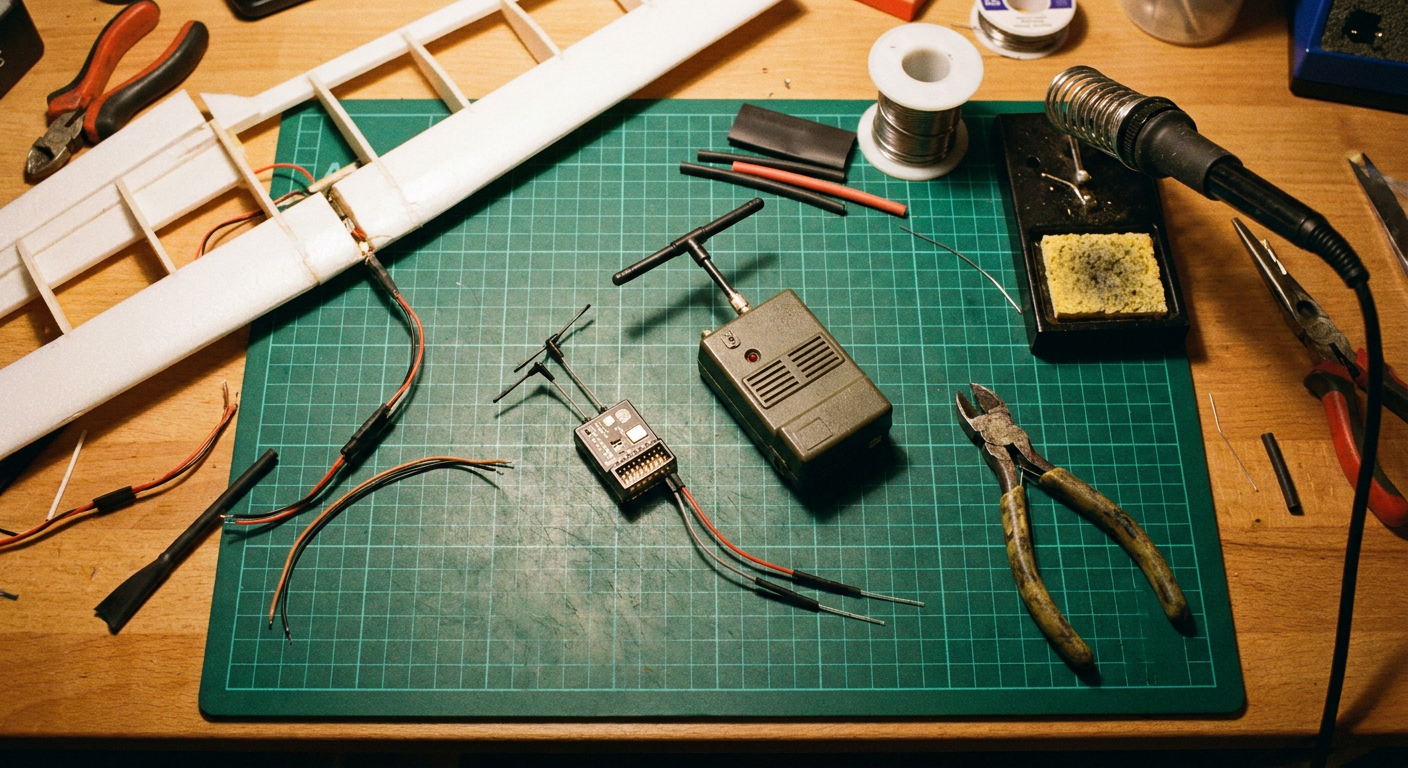
Over the past few weeks, RadioMaster and open-source hardware builders pushed a fresh wave of ExpressLRS Gemini gear into hobby shops, including the dual-transmitter Nomad module and dual-chip XR-series receivers. For anyone who has spent the last five years strapping foot-long 900MHz T-antennas onto foam wings or carbon quad frames, this hardware shift changes the math on radio link reliability.
For a long time, the advice given to anyone flying beyond visual line of sight or cruising behind tree lines at the local park was simple. You bought a 900MHz system, accepted the giant flexible antennas, and dealt with low packet refresh rates. If you wanted crisp control at 500Hz or 1000Hz, you stayed on 2.4GHz and prayed that local home Wi-Fi routers or cell towers did not swamp your receiver.
ExpressLRS Gemini breaks that compromise. By transmitting identical control packets across two distinct 2.4GHz frequencies simultaneously, it eliminates the single biggest weakness of higher-frequency radio links: sudden packet drops caused by frequency nulls and localized interference. For the vast majority of weekend flyers, club glider pilots, and park bashers, the bulky 868MHz and 915MHz radio link is officially on notice.
The Difference Between Antenna Diversity and True Gemini
To understand why Gemini matters on the flight line, you have to separate it from standard antenna diversity. Most RC flyers are familiar with diversity receivers like the classic FrSky D8 and early ELRS diversity boards. Those systems use one radio chip connected to two antennas through an electronic switch. The receiver listens to antenna A. If the signal drops, it flips a switch and listens to antenna B. The transmitter on your radio is still just shouting into the air on a single frequency.
Gemini works on a completely different principle. A Gemini transmitter has two separate internal radio frequency transceivers running in parallel. When you push the elevator stick, the module broadcasts that identical command packet at the exact same microsecond across two different radio frequencies roughly 40MHz apart on the 2.4GHz band.
On the aircraft, a Gemini receiver (such as the RadioMaster RP4TD or XR4) features two completely independent receiver chips, each wired to its own dedicated antenna. Both chips decode incoming data continuously. As long as just one of those two packets makes it through, your flight controller or servos receive valid stick positions with zero frame drops.
Standard ELRS (Single Tx -> Single Rx):
[ Tx Radio 1 ] ---( single frequency )---> [ Rx Radio 1 ]

True Diversity (Single Tx -> Dual Antennas):
[ Tx Radio 1 ] ---( single frequency )---> [ Antenna A / Antenna B Switch ] -> [ Single Rx ]

ExpressLRS Gemini (Dual Tx -> Dual Rx):
[ Tx Radio 1 (2410 MHz) ] -----------> [ Rx Radio 1 (Antenna A) ] ===> Merged Packet Buffer
[ Tx Radio 2 (2450 MHz) ] -----------> [ Rx Radio 2 (Antenna B) ] ===>
This setup directly targets the two most common ways pilots lose models: polarization mismatch and localized radio interference.
When you bank a foam airplane into a sharp 60-degree turn, the relationship between your transmitter antenna and the plane antenna shifts. With a single antenna, the signal can drop by up to 20dB simply because the physical waves are oriented in the wrong direction. Gemini pairs spatial diversity (antennas mounted at 90 degrees to each other) with frequency diversity (two channels operating simultaneously). The chance of both frequencies suffering a simultaneous null while both antennas are cross-polarized is vanishingly small.
Why 900MHz Was Always a Pain at the Field
Nobody ever loved 900MHz hardware for its form factor. We tolerated it because early 2.4GHz systems lacked link budget and penetration.
First, there is the sheer physical size of the gear. A quarter-wave dipole antenna for 915MHz measures roughly 16 centimeters tip to tip. On a 60-inch balsa glider or a twin-motor cargo plane, you can usually hide that antenna inside the fuselage or along a vertical stabilizer. But on a sub-250-gram park flyer, a 4-inch mini wing, or a tight racing drone, mounting a 900MHz antenna without it flapping into the prop arc or adding drag is a constant headache.
Second, the radio environment on sub-gigahertz bands is surprisingly dirty. In North America and parts of Asia, 915MHz sits right up against industrial telemetry and older cellular bands. In the UK and Europe, pilots are restricted to 868MHz, where available legal bandwidth is narrow and duty-cycle rules throttle high-refresh packet rates. If you travel with your models, shifting between 868MHz and 915MHz often requires flashing new firmware and swapping antenna elements.
Third, 900MHz forces you to accept lower refresh rates to maintain sensitivity. Many 900MHz setups top out at 100Hz or 200Hz. That is fine for a lazy thermal glider, but for fast-moving slope soarers, 3D aerobatic foamies, and agile FPV rigs, the crisp, immediate response of 500Hz or 1000Hz on 2.4GHz feels noticeably tighter on the sticks.
Real-World Field Performance and Link Quality
How does this translate when you take your transmitter out to an average club field surrounded by cell towers and neighborhood Wi-Fi? Below is an illustrative composite based on field logs comparing a standard 2.4GHz link, a true diversity 2.4GHz setup, Gemini 2.4GHz, and a traditional 915MHz link under mixed flying conditions.
Illustrative Performance Composite
Setup: Standard 100mW telemetry output, urban park boundary with dense foliage and background 2.4GHz Wi-Fi clutter. Receiver antennas mounted at 90 degrees.
| Radio Link Mode | Packet Rate | Link Quality at 1km (Clear LOS) | Link Quality at 2km (Behind Tree Line) | Total Antenna Span (Wing/Fuselage) |
|---|---|---|---|---|
| Standard ELRS 2.4GHz (Single) | 250Hz | 100% | 78% (Occasional frame drops) | 3.2 cm (Single stub) |
| True Diversity 2.4GHz | 250Hz | 100% | 89% (Stable control) | 6.5 cm (Dual dipoles) |
| Gemini 2.4GHz (Dual Radio) | 500Hz | 100% | 99% (Zero dropped frames) | 6.5 cm (Dual dipoles) |
| Standard ELRS 915MHz | 100Hz | 100% | 98% (Solid link, higher latency) | 16.0 cm (Bulky T-antenna) |
Looking at the numbers, Gemini matches the penetration and link stability of 900MHz through dense brush and trees, while running at five times the update rate with tiny, unobtrusive antenna wires.
During high-rate maneuvers behind obstacles, standard single-channel 2.4GHz links show immediate dips in Link Quality (LQ). Even if the signal strength (RSSI) is technically acceptable, packet loss creeps in because Wi-Fi routers on nearby houses flood specific channels. Because Gemini hops across two channels at once, a Wi-Fi burst on channel 6 only knocks out half of the transmission. The companion packet on channel 11 sails straight through to the second receiver core without a glitch.
Practical Wiring and Antenna Placement Guide
Upgrading to Gemini is not difficult, but because you are dealing with two physical receiver radios on one board, sloppy installation will throw away your link gains.
             CORRECT GEMINI ANTENNA ORIENTATION

                    Antenna A (Vertical)
                           ▲
                           │
                           │
                           │
     ◄─────────────────────┼─────────────────────►
     Antenna B             │           Plane Fuselage
     (Horizontal)          ▼
1. The 90-Degree Rule Is Mandatory
With standard single-antenna receivers, you could get away with taping the wire randomly along the foam fuselage. With Gemini, you need true polarization diversity. Mount Antenna A vertically (standing straight up or pointing down from the belly) and Antenna B horizontally along the wing cord or fuselage side. This ensures that no matter how hard you roll or pitch the model, one antenna element remains broadly parallel to the transmitter antennas on your radio.
2. Isolate Antennas From Carbon Fiber and High-Current Lines
Carbon fiber is conductive and acts as a radio shield. If you are flying a composite glider or a carbon-plate drone frame, run the active antenna elements (the exposed 31mm silver tips) completely clear of the structure. Keep the antennas at least 3 to 5 centimeters away from ESC power leads, battery straps, and video transmitter antennas. Video transmitters blasting 5.8GHz or 1.2GHz video right next to a Gemini receiver core will desensitize the front-end low noise amplifiers.
3. Power Supply and Voltage Stability
Dual receiver chips draw more current than a tiny single-core whoop receiver. A typical Gemini receiver draws around 100mA to 180mA depending on telemetry transmission power. If you are plugging a PWM receiver (like the RadioMaster ER-series) directly into standard analog or digital servos on a foam airplane, ensure your BEC or ESC can supply clean 5V power without sagging under servo loads. A sudden voltage drop from stalling a rudder servo can reboot the receiver mid-flight.
4. Wire for Native Serial or Direct PWM
If you are flying fixed-wing aircraft with a standard flight controller running ArduPilot or INAV, run standard CRSF serial lines (TX to RX, RX to TX). For direct-servo traditional foamies without a flight controller, pick a dedicated PWM Gemini receiver (like the ER6G or ER8G) that breaks the outputs straight out to servo pins, saving you from adding an external inverter or converter board.
Transmitter Battery Drain: The Real Trade-Off
There is no free lunch in radio frequency engineering. Running two separate transmitter chips at high output power doubles your transmitter battery consumption.
If you pop an external Gemini module (like the RadioMaster Nomad) onto the back of your radio and crank both radios to 500mW or 1W, you are burning significant wattage. A standard 2S 18650 radio battery pack that previously lasted all weekend might drop to three or four hours of active flying time. The module backplate will also get noticeably warm to the touch during long sessions.
For general park flying and line-of-sight club aerobatics, you do not need 1 watt per channel. Running Gemini at 100mW or 250mW dynamic power gives you rock-solid link quality for kilometers while keeping the radio module cool and preserving battery life for the whole afternoon.
Does 900MHz Have Any Purpose Left?
If 2.4GHz Gemini is this good, is 900MHz completely dead? Not quite, but its niche has narrowed dramatically.
Where 900MHz still holds an edge is ultra-long-range flying where models travel deep behind mountains, down into river valleys, or over 20 kilometers out from the launch point. Longer radio waves naturally diffract around hills and ground contours better than 2.4GHz signals. If your hobby involves building 2-meter wings with 4S Li-ion battery packs designed to cruise across mountain ranges, 900MHz remains the safest tool for link survival behind terrain.
Hardware makers are also experimenting with cross-band setups (Gemini-X), where one transmitter chip broadcasts on 2.4GHz while the second broadcasts on 900MHz. This gives you high-speed 2.4GHz response alongside 900MHz terrain bending in a single module. But for 95% of modelers flying within standard AMA field limits, sport parks, or medium-range FPV distances, cross-band is unnecessary complexity. Dual-band 2.4GHz Gemini solves the dropouts they actually experience without making them bolt giant antennas to their models.
What This Means for MyRC
Building dependable model aircraft comes down to matching the right electronics to the airframe without adding needless weight or setup friction. At MyRC (myrc.ai), the core philosophy is keeping builds practical, reliable, and straightforward to maintain at the field. Modern 2.4GHz Gemini hardware aligns perfectly with that mindset: it simplifies antenna mounting on compact wings and park flyers, cleans up fuselage drag, and eliminates the frustrating, unexplained failsafes that ruin an otherwise great flying day.
Summary Decision Checklist
Before you buy your next receiver or external radio module, use this checklist to decide if Gemini fits your fleet:
Do you fly in urban parks, near neighborhood Wi-Fi, or at crowded club fields?
Upgrade to 2.4GHz Gemini. The dual-frequency redundancy cuts through local radio congestion better than any single-antenna receiver.Are you outfitting sub-250g models, tight foamies, or compact gliders?
Stick with 2.4GHz Gemini. You get 900MHz-level link security with tiny, lightweight 3cm antenna stubs that are simple to position at 90 degrees.Do you demand 500Hz or 1000Hz low-latency stick response?
Choose 2.4GHz Gemini. 900MHz systems cannot match these refresh rates without dropping link sensitivity.Are you cruising long-range wings 15+ kilometers out behind hills or deep valleys?
Keep your 900MHz or look into Gemini-X cross-band hardware. Pure physical wave diffraction still favors lower frequencies in rough terrain.
Common Questions
Why is ExpressLRS Gemini replacing 900MHz for everyday flying?
Gemini transmits duplicate packets simultaneously across two separate 2.4GHz frequencies. This eliminates signal loss from radio interference and antenna orientation issues while keeping antennas tiny, update rates high, and receivers light.
Can I use a Gemini receiver with a standard single-radio transmitter?
Yes, but it will only operate in standard true diversity mode. To unlock true dual-channel Gemini transmission, your transmitter module must also feature dual internal RF chips running Gemini-compatible firmware.
Do I need to run high power (1W) on Gemini?
No. Because two duplicate packets are sent on separate frequencies, link reliability is extremely high even at 100mW or 250mW. Lower power keeps your transmitter battery alive and prevents overheating.
Sources
- ExpressLRS Project Documentation and Gemini Architecture: https://www.expresslrs.org
- ExpressLRS Gemini Technical Details: https://www.expresslrs.org/software/gemini/
- ExpressLRS Source Code Repository: https://github.com/ExpressLRS/ExpressLRS
- RadioMaster RC Hardware Specifications (Nomad, XR4, and ER Series): https://radiomasterrc.com
- Oscar Liang RC Receiver and Gemini Guides: https://oscarliang.com/expresslrs-receivers/